
Read with help that keeps you in the flow.
Tap a word for translation, grammar notes, and audio without losing your place or switching to a separate app.
For students
Tap any word for instant understanding, making reading smoother and more engaging.
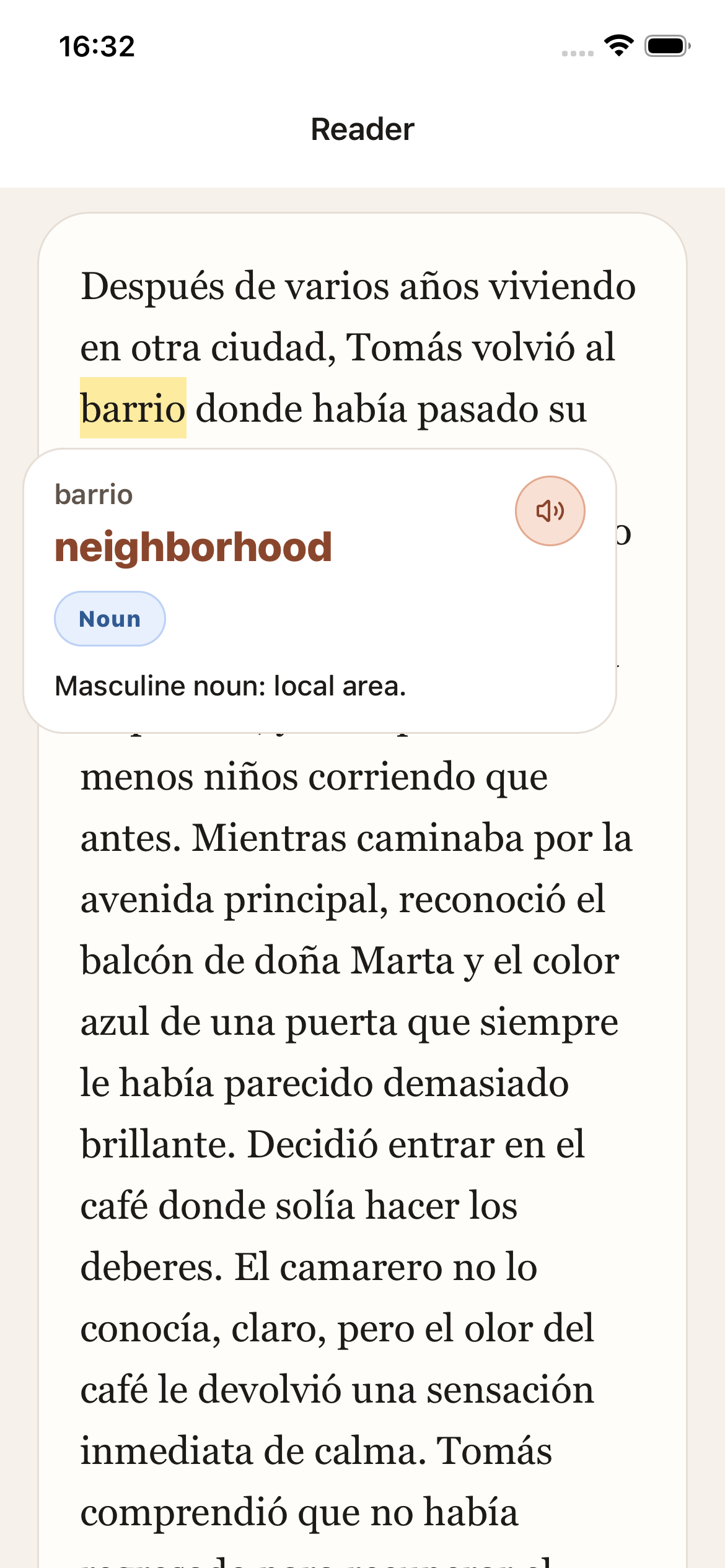
Tap a word for translation, grammar notes, and audio without losing your place or switching to a separate app.
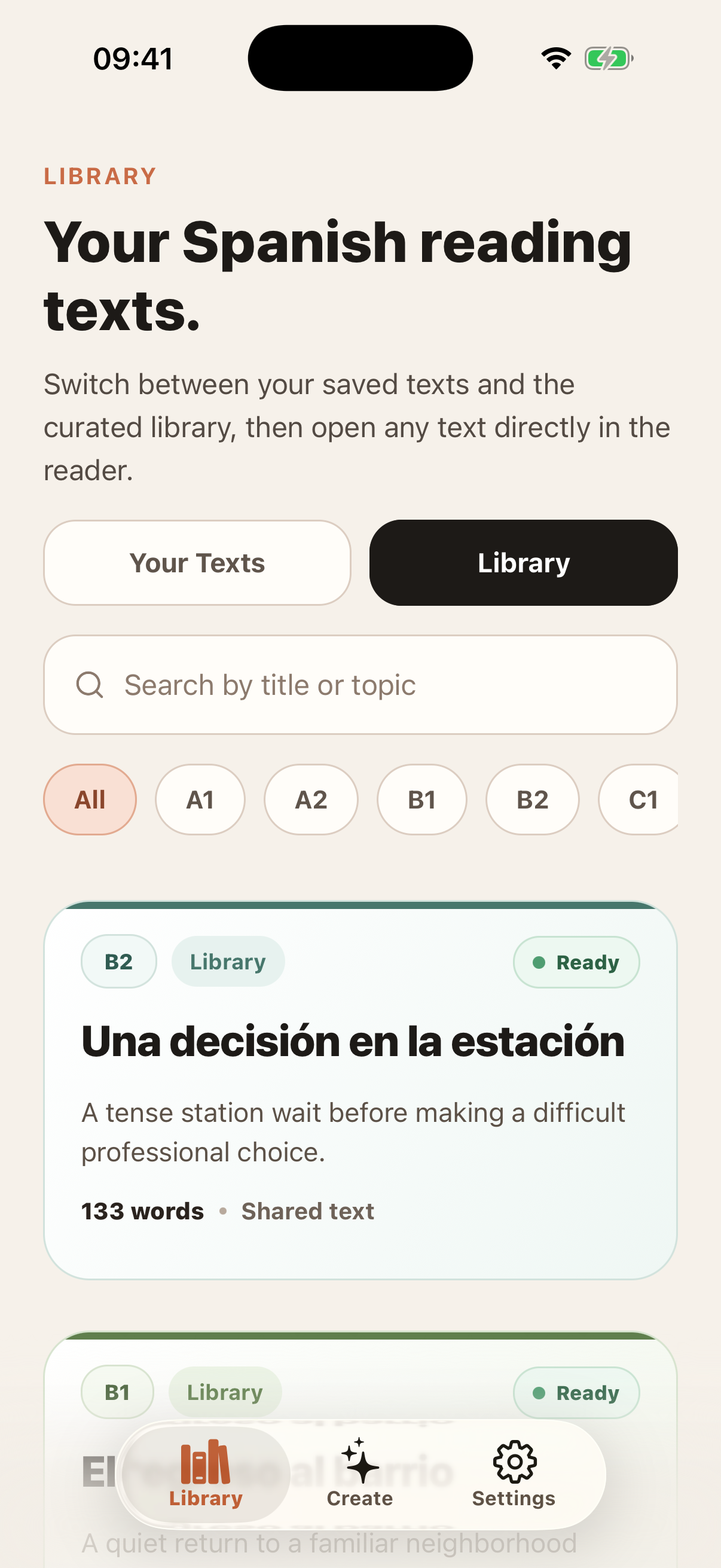
Saved texts stay in your library so you can revisit useful passages, repeat harder ones, and build exposure over time.
Use your own topics, imported passages, or teacher-assigned readings so practice stays closer to your current level and lessons.
Who it's for
Best for
Not for
How students use it
Pick a text, read with in-place help, and build a library worth returning to.
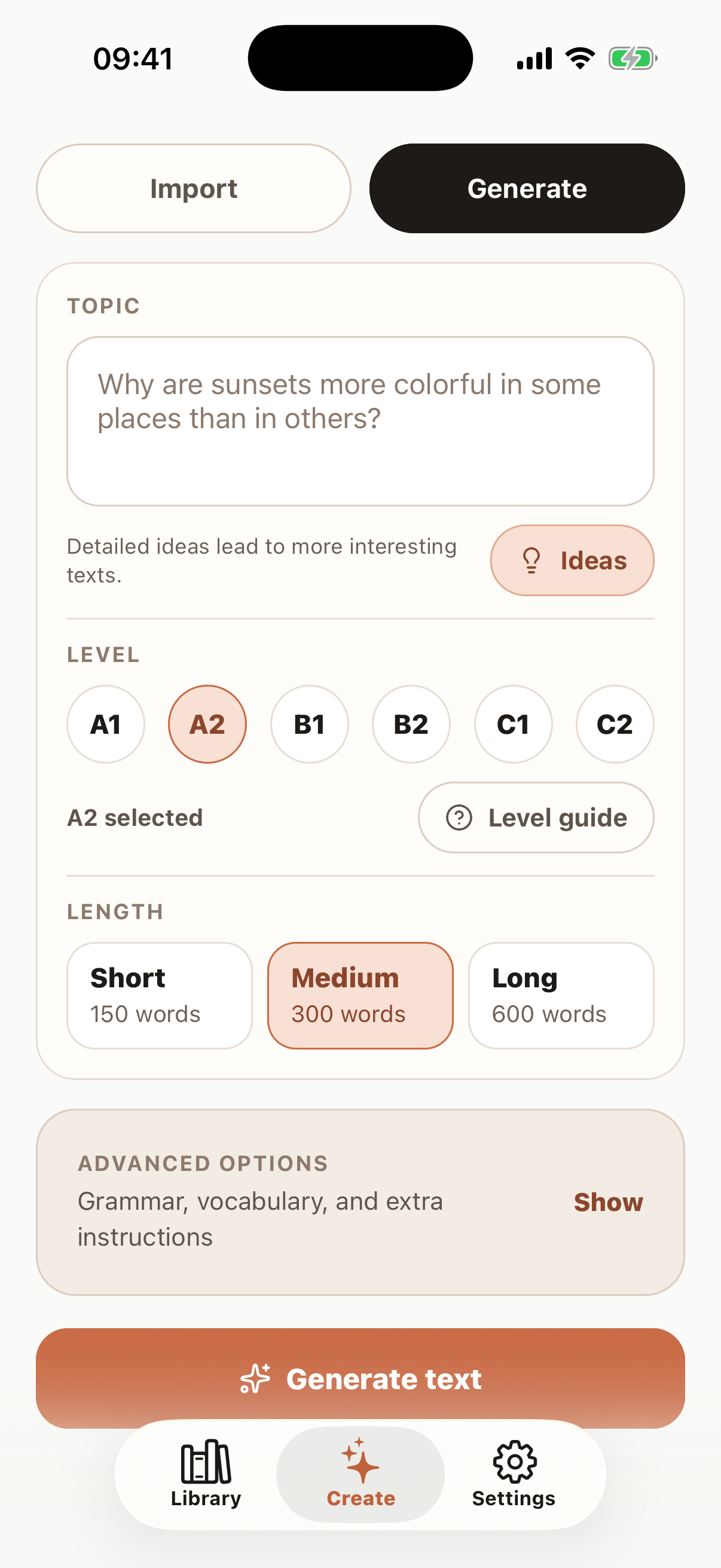
Step 01 / Pick a text
Students can study independently, revisit saved readings, or open teacher-assigned texts inside the same reading flow.
Step 02 / Read
The reader keeps translation, grammar notes, and audio inside the text, which makes longer passages feel more manageable.
Step 03 / Return
Saved readings stay in one place so you can revisit useful ones, repeat harder texts, or keep class reading and personal practice together.
Why it works better
Translator tabs
The usual approach
Copy a sentence out, lose your place, come back, repeat.
With Palabruno
Tap the word you need, get help, and keep moving through the passage.
Dictionary lookups
The usual approach
Break concentration every time a word or tense slows you down.
With Palabruno
Keep translation, grammar notes, and audio inside the same reading flow.
Generic reading apps
The usual approach
Read material that is not tied to your level, topics, or class.
With Palabruno
Generate your own texts, import passages, or open teacher-assigned reading.
Working with a teacher?
If a teacher shares reading in Palabruno, it shows up beside your own texts. Same reader. Same saved-text flow. No second product to learn.
Student FAQ
A translation card opens inside the reader. Translation, grammar notes, and audio appear without leaving the text, so you can keep moving without switching apps.
Yes. Saved readings stay in one library, which makes it easy to revisit useful material, repeat tougher texts, or build a personal reading routine over time.
No. Students can use Palabruno on their own, start on the free plan, and upgrade later if they want more creation and saved reading capacity.
Yes. Palabruno supports level-based text creation, imported passages, and teacher-assigned readings, so the text can stay closer to what you are actually learning.